Fast Exit: Solving for the most critical second in trading
About Groww • YC (2018)
Groww is India’s largest stock investing and trading platform, supporting over 1 million active traders placing 6 millions trades daily.
Problem
Options are extremely risky and volatile instruments. Traders dealing with these options must react quickly and exit their trades to secure profits. The flow to place an exit order involved multiple steps that resulted in losses.
Additionally, 70% of all options traders exited within the first 15 minutes, indicating that traders are constantly monitoring the market and closing trades as soon as they achieve profits. In that case, ensuring quick exit order placement was crucial.
Outcomes
I designed the Fast Exit framework, which enables traders to exit trades while remaining on the Positions tab. Traders can exit while continuing to monitor portfolio returns.
Time to exit a position
Reduced from 3 → 1 sec
Daily users
50,000+
My Role
Led the research and design, and took ownership of the product to launch it on iOS, Android, and web.
Team
Worked with a PM and four engineers throughout the project.
Options are volatile and risky to trade ⚠️
What are Options?
An option is like a paid reservation or a "coupon" that gives you the choice to buy a stock at a set price later. If the price moves in your favor, you use your coupon to make a profit; if it doesn't, you just throw the coupon away and only lose the small amount you paid for it.
Why do people trade options?
Traders use options for leverage, which lets them trade expensive stocks with a tiny "down payment" to potentially multiply their profits.
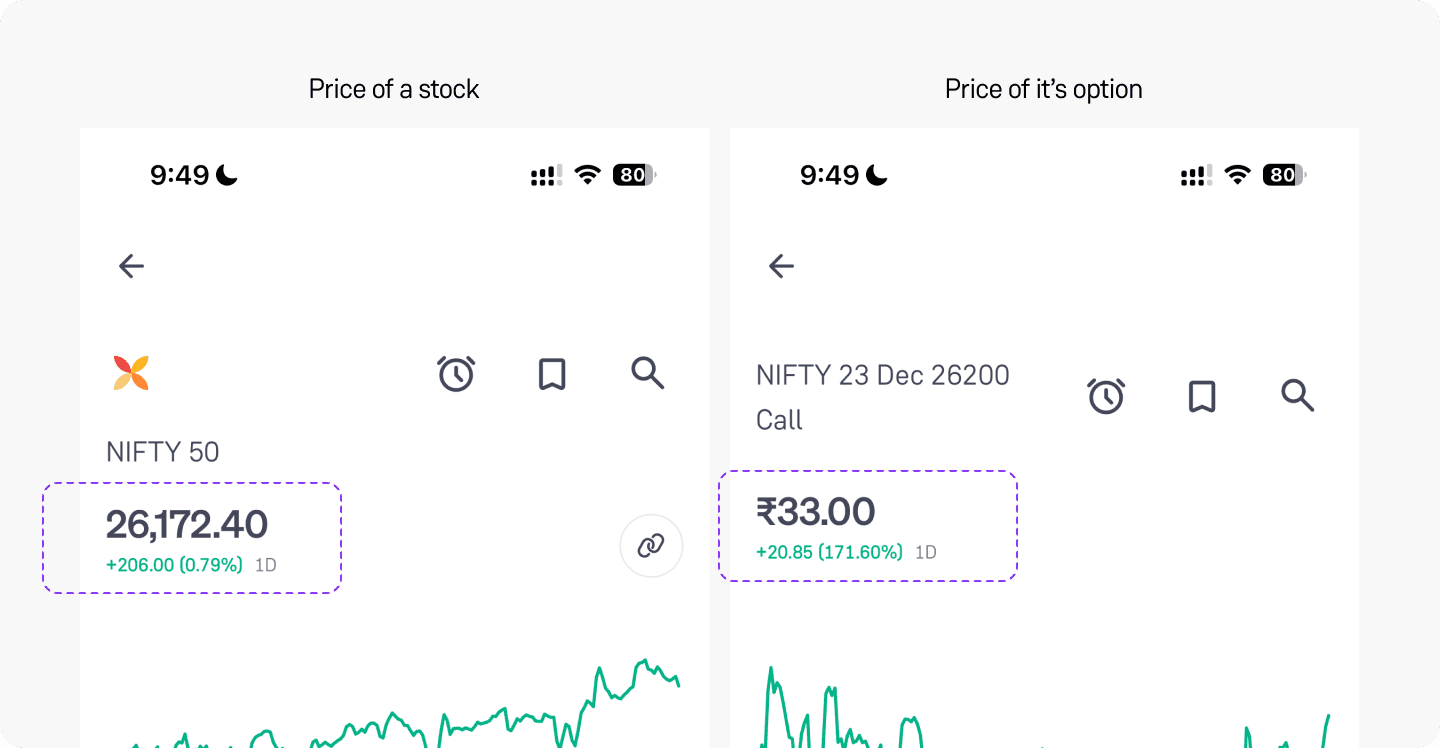
Options are cheaper than stocks
Options lose value quickly, so decisions must be made fast.
Unlike stocks that retain value over years, options lose value every minute and come with an expiration date, making them risky to trade. With options prices changing so rapidly, traders must quickly decide to hold or exit a position based on their profit or loss.
Options prices move every 0.3 seconds
Key takeaway
Option traders aim to enter and exit trades quickly to secure profits or limit losses, as holding options longer is risky. On Groww, 70% of option trades close within the first 15 minutes.
Problem
Multiple steps to exit a position was frustrating
Traders had to navigate multiple steps to exit their positions via the order card flow, requiring at least three taps. By the time they completed the process, their profit or loss had often changed, leading to user frustration. Data revealed that 85% of all users exited their trade in full quantity, reducing the need for the order card when they want to exit their a running position.
Placing an exit order flow before redesign
No visibility over returns
Total returns guide the decision to exit a position. However, once traders enter the exit flow, they lose sight of their total returns. Given the volatility of options, a $100 profit can drop to $80 by exit, causing confusion and diminishing trust in the app.
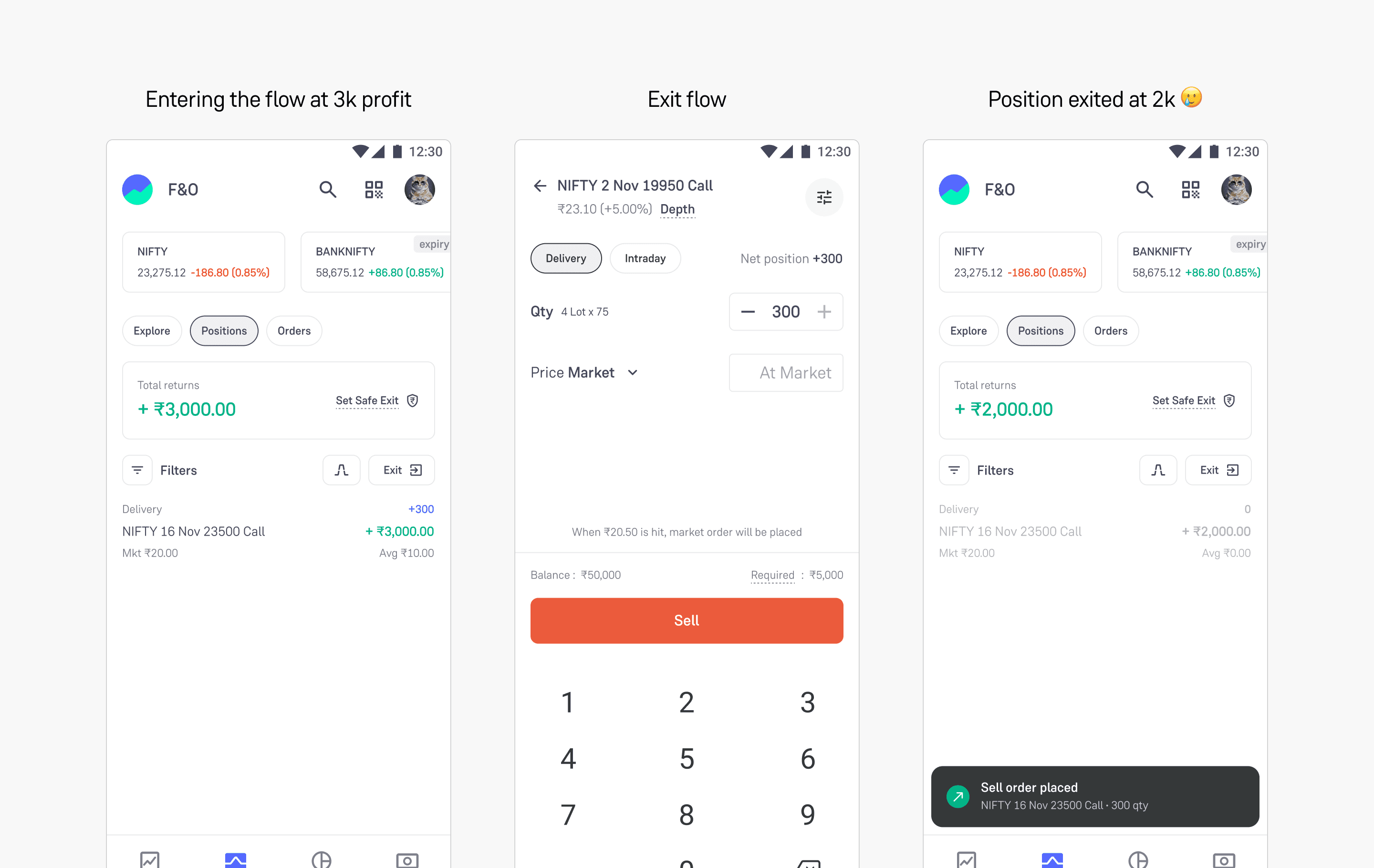
Price fluctuation due to long flow
problem summary
Exiting a positions previously required several steps, causing users to lose track of total returns and leading to discrepancies between perceived and actual profits.
the big picture
This issue made users think that Groww is slow and that the prices on its platform are inaccurate, causing them to churn.
Process
GOAL
How might we help traders exit positions more quickly while keeping track of their total returns?
Direction 1: Instant Exit button on the bottom sheet
We began exploring the idea of adding an instant exit button at the bottom of each position's sheet. This would help users avoid going through the order flow to place an exit order. However, it still requires two clicks, and the overlay hides the total returns, which is crucial for exiting a position.
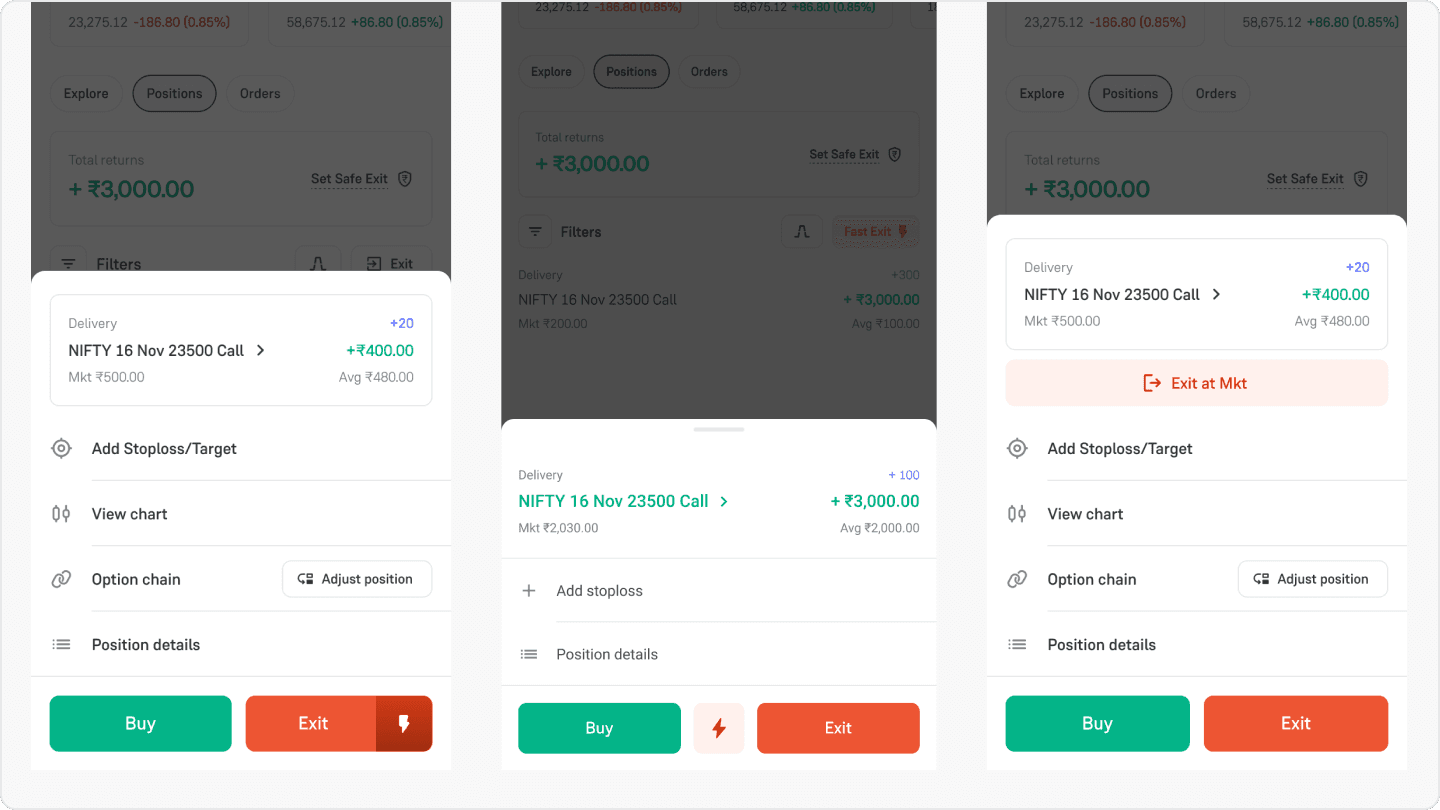
Exit button in position bottom sheet
Direction 2: Instant Exit as a panic button
When traders decide to exit positions, they want to place orders quickly. What if we replaced the current Exit All button, which allows for selective exits, with an instant button that users can enable in settings? The downside is that it could lead to more errors and wouldn't help users who want to exit just one of their three positions.
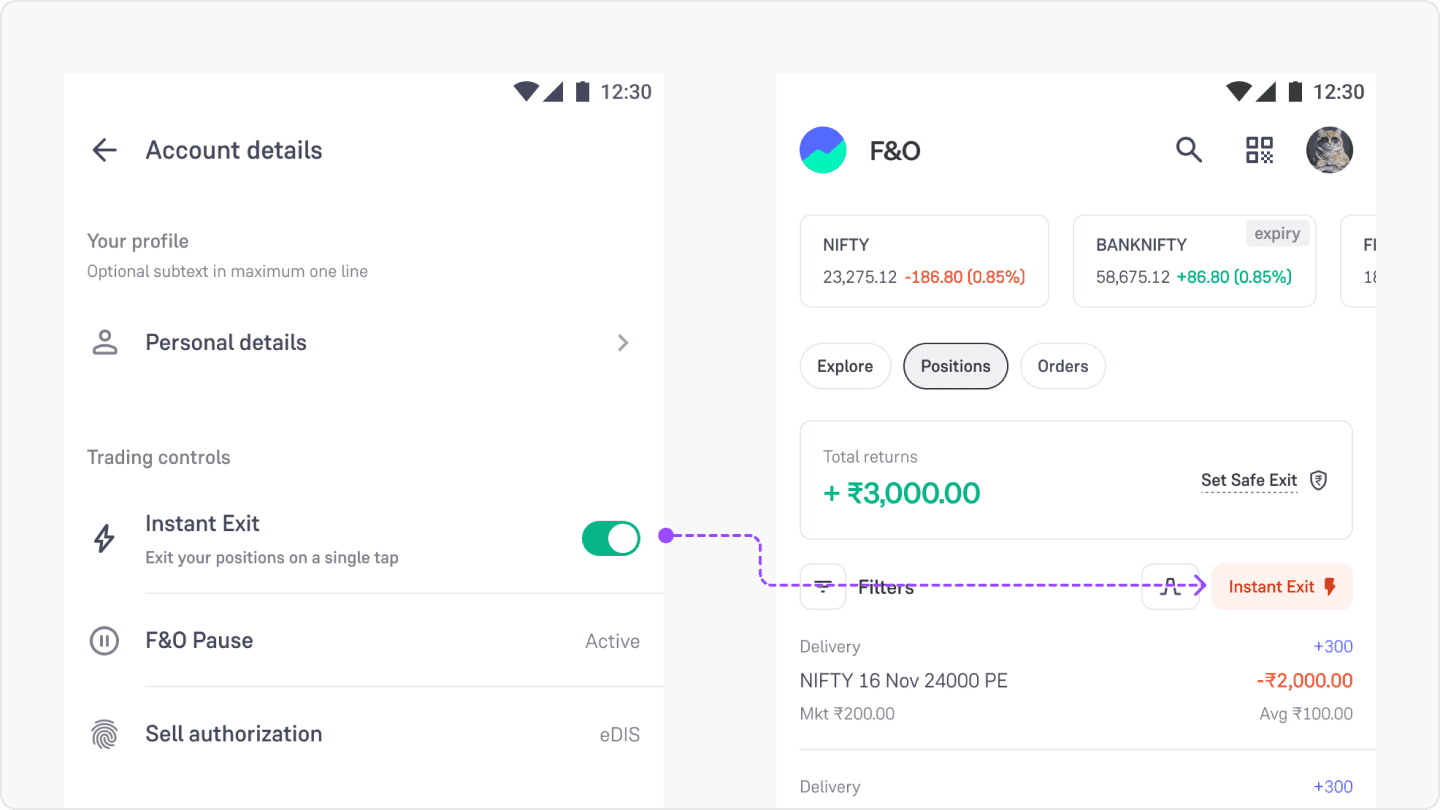
Instant exit can be enabled from settings
design tenet
The main challenge is balancing speed with trust. This is a high-stakes environment that needs to be fast, minimize errors, and give traders control.
Direction 3: Exit button at a position level
Similar to Gmail, what if users could access quick actions for each position? This would let them manage their trades while keeping an eye on overall returns and selectively exiting each position.
Position level interactions (Swipe vs Tap)
I chose to tap instead of swipe. Swiping is common for interacting with items in iMessages and Gmail, but in the Groww app it was mainly used to switch between position and order tabs. Swiping would have complicated things, as two swipes could lead to confusion.
The concept of an exit button on positions really resonated with traders. Testing different versions of this idea revealed that this pattern should support a single primary action, such as exiting. This built confidence and made the experience feel more intuitive.
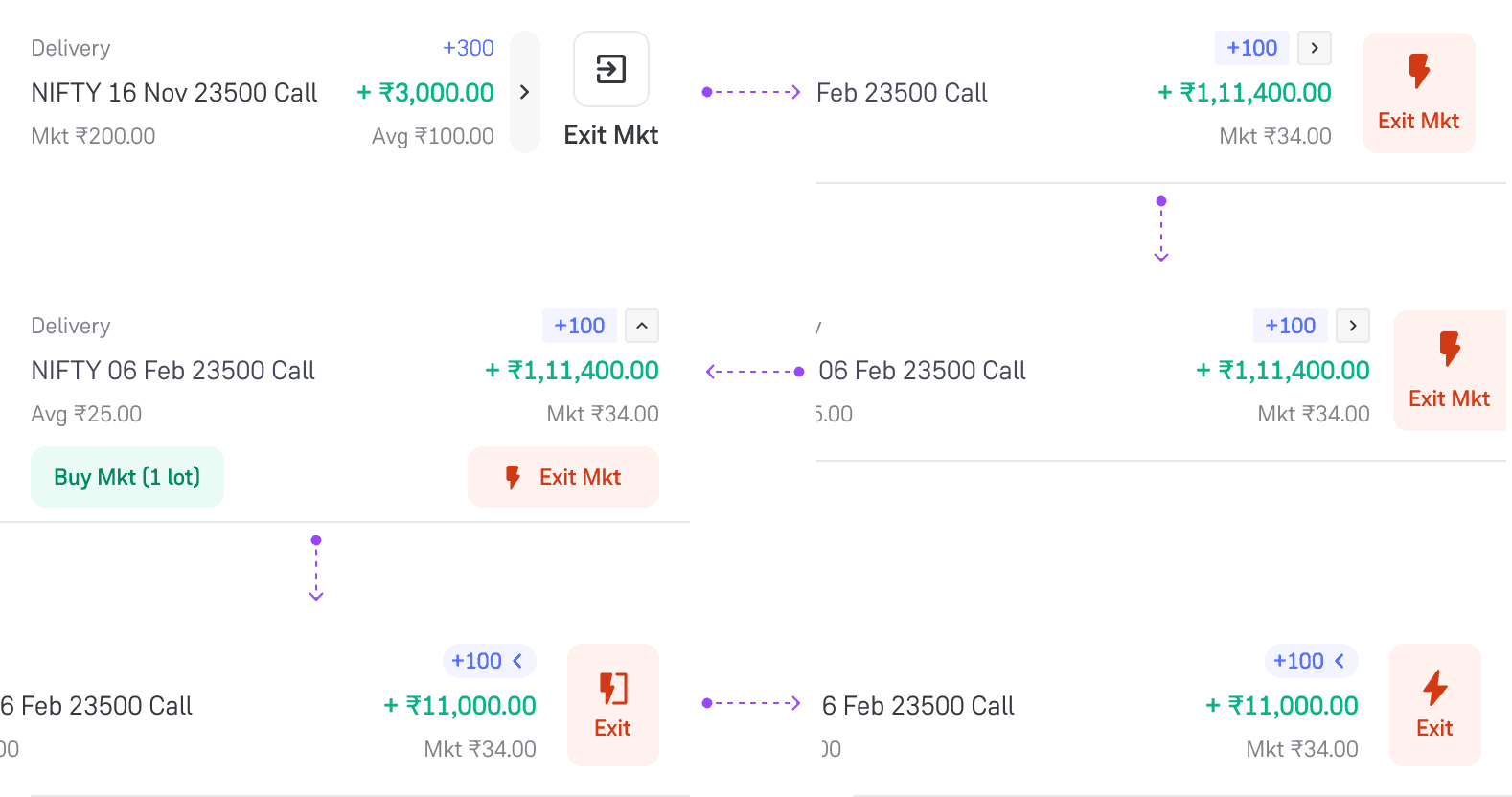
Giving shape to positions list item
kEY TAKEAWAY
Traders preferred having the exit option upfront and available at each position level — giving them greater control and enabled faster ordering. Direction 3 resonated most strongly during user testing and secured stakeholder buy-in.
Solution
Introducing Fast Exit
Before vs After
Time: 3 seconds
Time: <1 second
Traders can now exit position in under a second
Measuring taps wasn't a priority. The key question is how quickly a trader can exit a trade. With a fast exit, traders can exit in under a second without leaving the positions tab. The order card flow is still available and helpful for the 15% of cases where users want to exit a partial quantity.
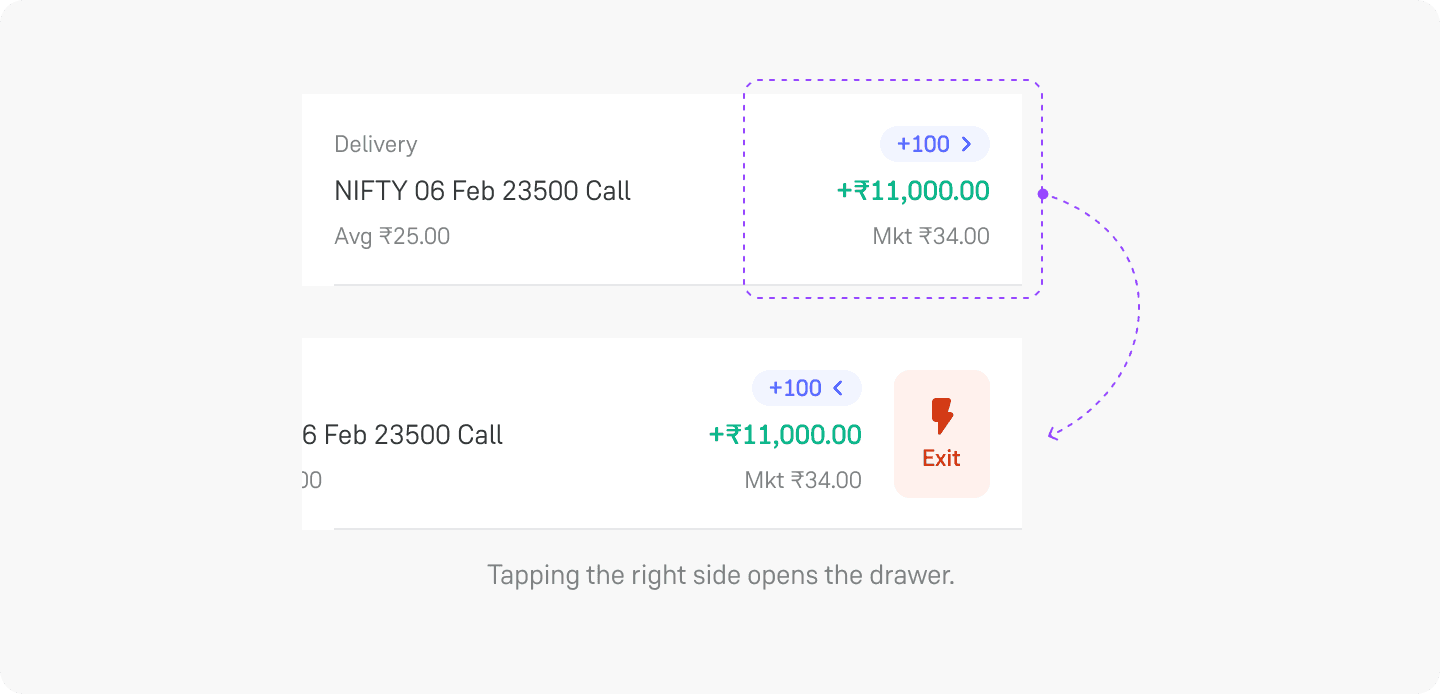
Optimizing for better control
Only one drawer opens at a time
The product team asked to enable users to open multiple drawers simultaneously. I made a case that this would disrupt the consistency of the position tab and is not a familiar interaction pattern for mobile UX.
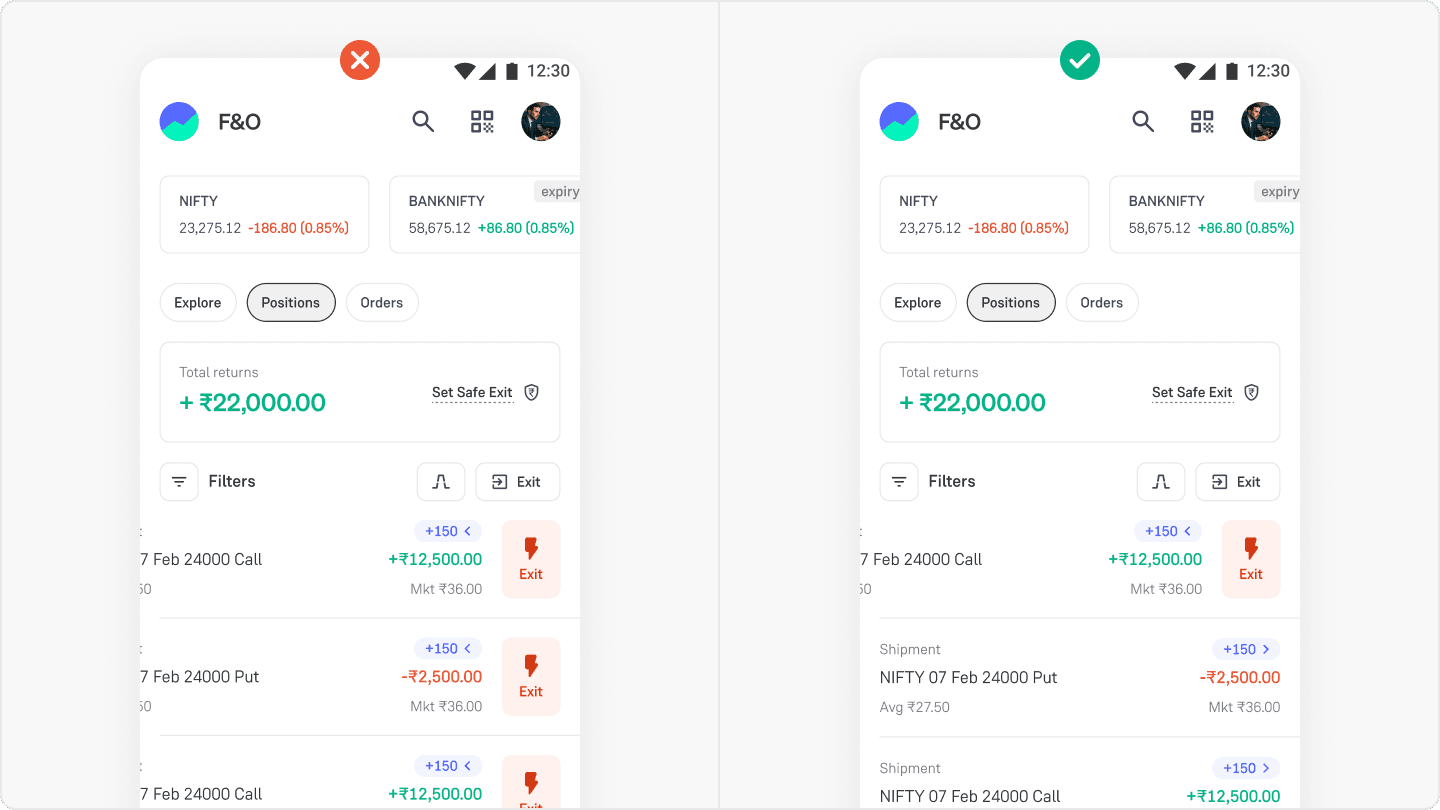
Sticking to existing mobile patterns
Going the extra mile with haptics.
The team was aligned, and the design was ready to go. I experimented with interactions using AI and incorporated haptics. A subtle vibration when opening the drawer and a deep vibration when clicking the exit button boosted user confidence. I used this prototype to get stakeholder approval for haptics, and the code base for haptics was used by developers as a reference to implement it.
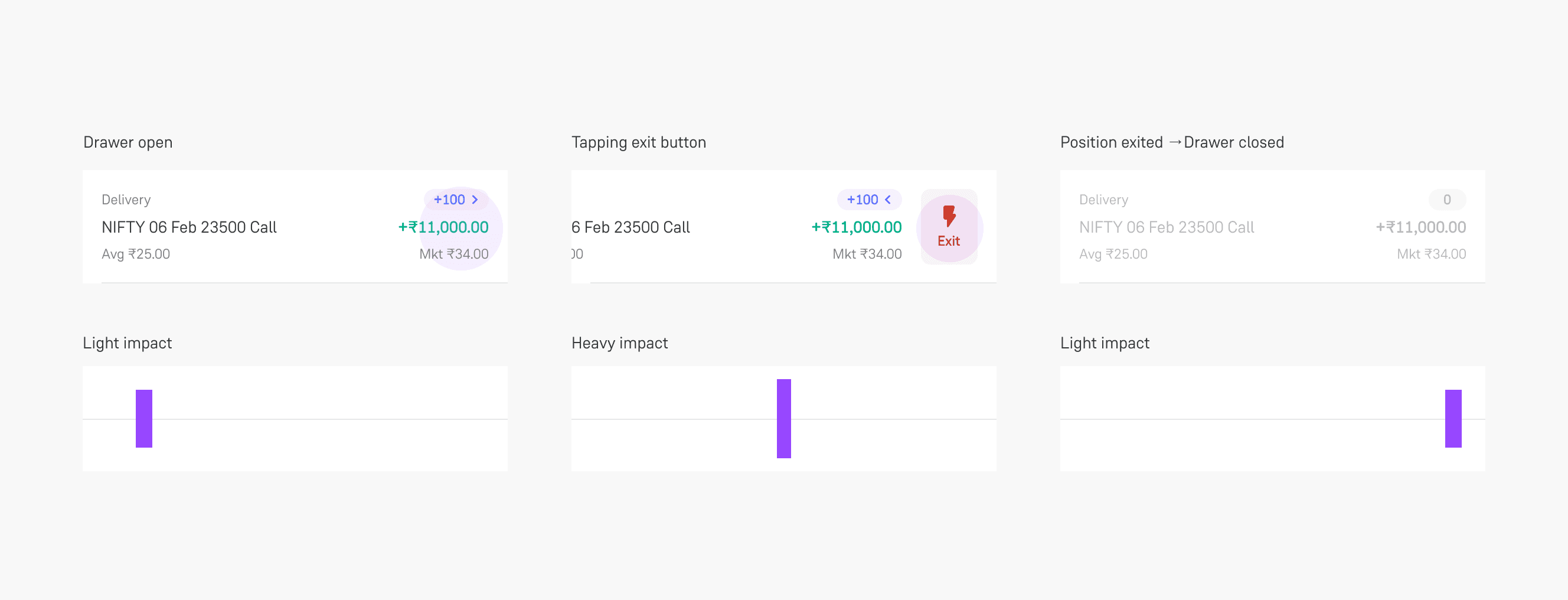
Light haptic on drawer open/close • Strong haptic on hitting the exit button
Impact
Time saved
~2 sec
Daily users
50,000+
Monthly users
600,000+
Users loved this feature.
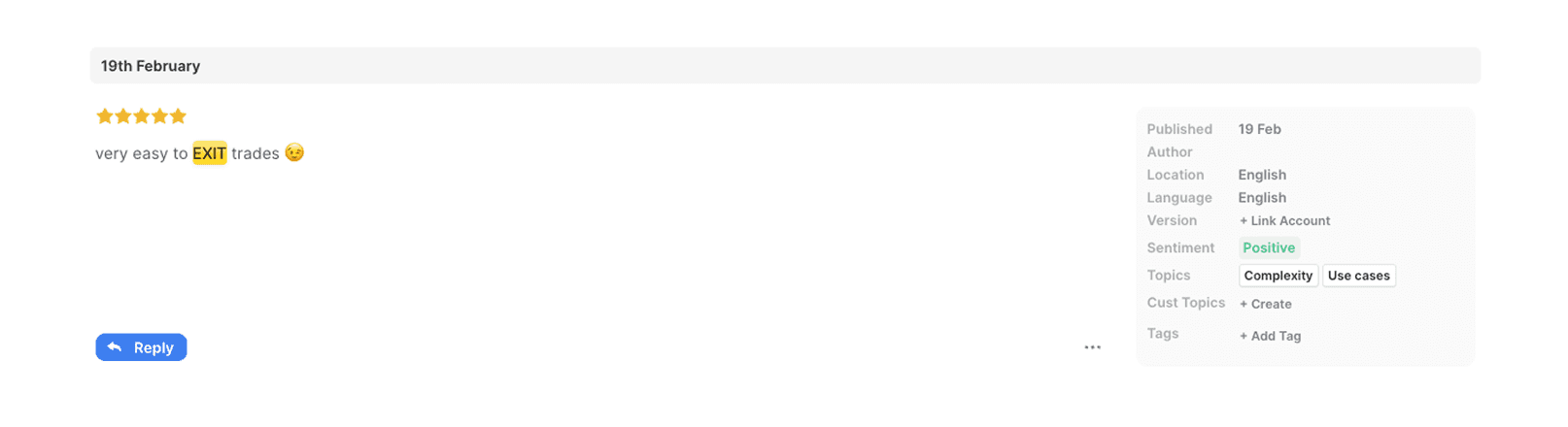
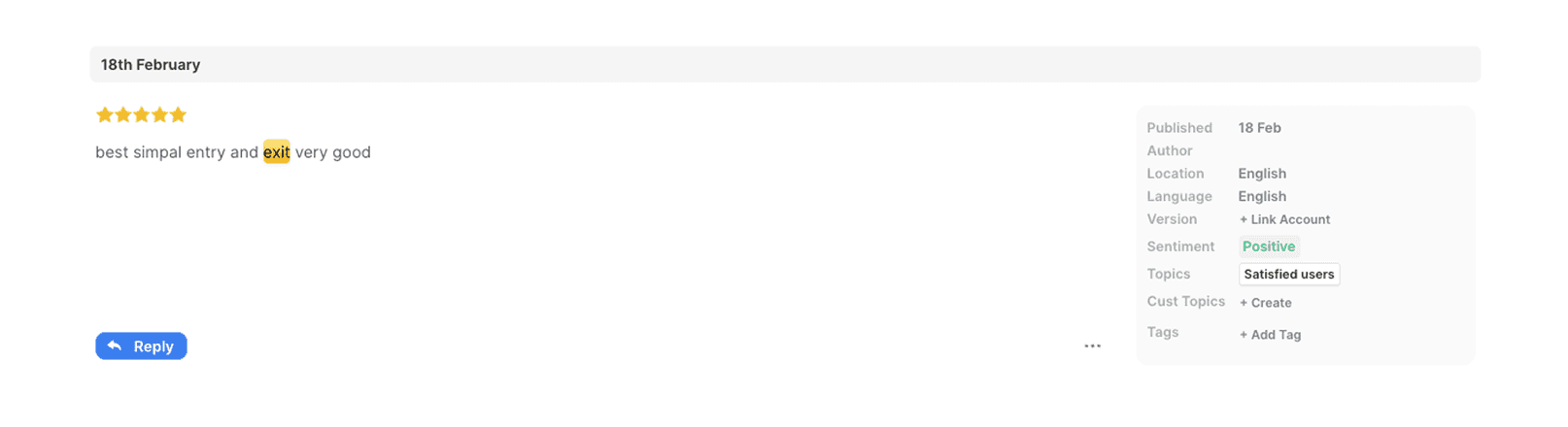
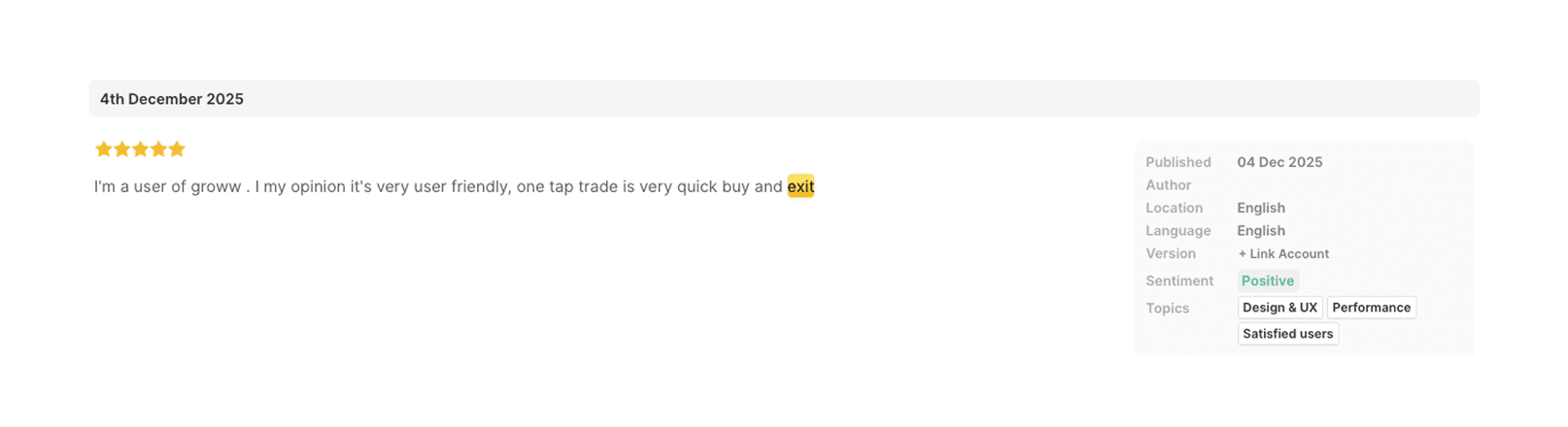
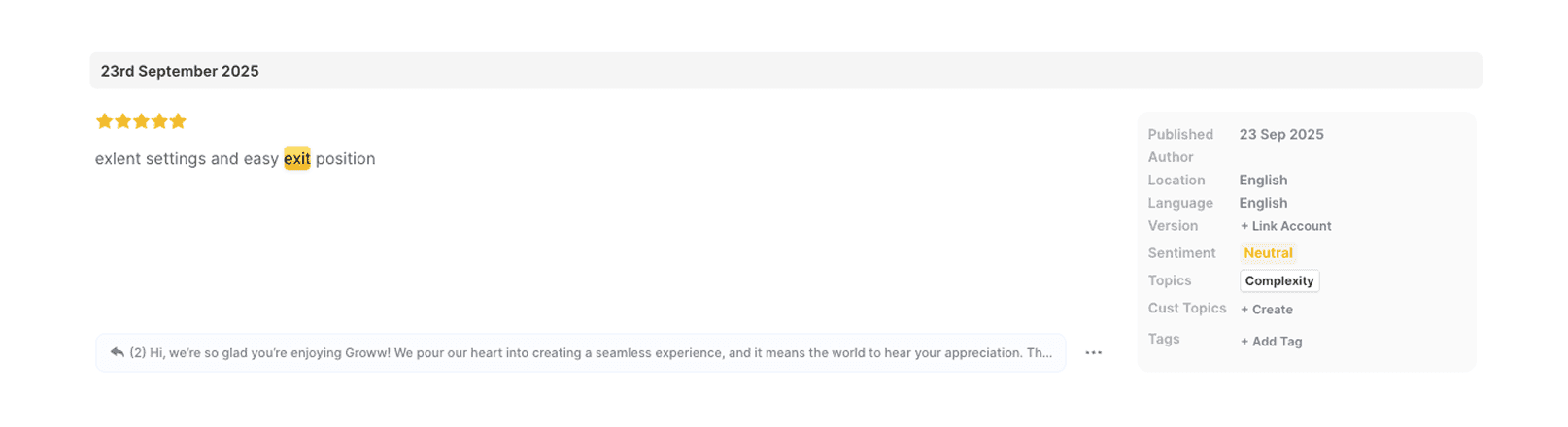
When we called users for feedback, we discovered that this feature helped them exit their positions at the right time and place orders quickly. Users described the experience as fast, often using phrases like instant exit.
After the 100% rollout, Fast Exit became our top NPS promoter.
On me as designer
The product team aligned on the bottom sheet approach, but I felt the experience could be improved and the solution was not elegant. I asked for a few days to iterate. I created multiple prototypes using AI and Protopie to explore different options. Then, I used these prototypes to get buy-in and built final versions.
The final deliverable to engineering included a fully functional Vibe code prototype alongside Figma. This prototype served as the source of truth for interaction timings and haptics, making the handoff to development smoother.
Thanks for reading