Designing for Speed in Order Placement

Designing for Speed in Order Placement

Redesigning the order placement flow to reduce execution time and improve speed for F&O traders.

Before

After

Before

After

About Groww

Groww is an India-based investing and trading platform, similar to Robinhood, serving millions of users and offering stocks, F&O, and other investment products.

Overview

The project focused on speeding up the order placement flow for F&O traders on Groww. In F&O trading, prices can change every 0.3 seconds, so placing an order at the right moment at the right price is critical. The current flow, designed primarily for stock traders, was slow, leading to increased frustration among high-frequency F&O traders.

We re-examined the entire flow, identified and removed non-critical steps, and refined transitions. Ultimately, our shipped solution was 40% faster.

Outcomes

1.8 seconds

Time saved per order

6M+

Orders per day

100-120K

hours saved per day

My role

Owned the design end-to-end. Led prototyping, user testing, developer handoff and design systems documentation.

Let’s break down the problem

User problem

An F&O trader is someone who trades stock options rather than the underlying stocks, focusing on quick profits from volatility. For example, if a stock moves by one rupee, its option might move by ten rupees, making timing and price shifts crucial to their short-term strategy.

Problem: F&O traders need to place orders almost instantly because prices change in a split second. If the process is slow, they end up with a price different from what they expected, which directly affects their trading success.

Visualizing market speed
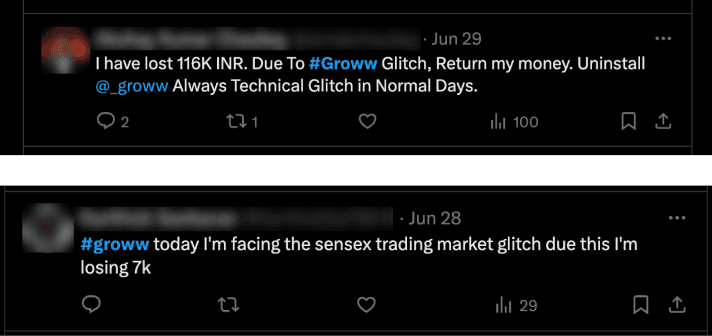
Users were frustrated

App experience problem

In the current Groww experience, the order flow had multiple steps that added unnecessary time. This design wasn’t optimized for the speed F&O trading demands, causing users to miss the ideal prices they wanted.

0.0s

Current experience

Business problem

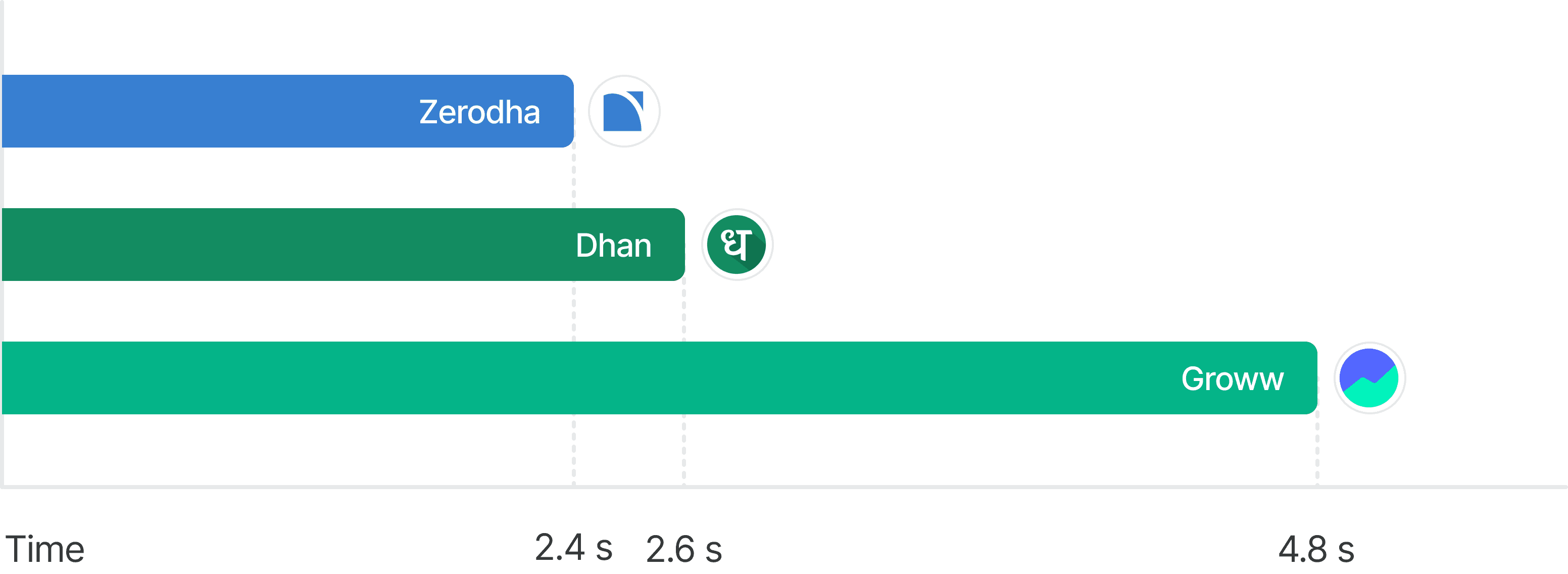
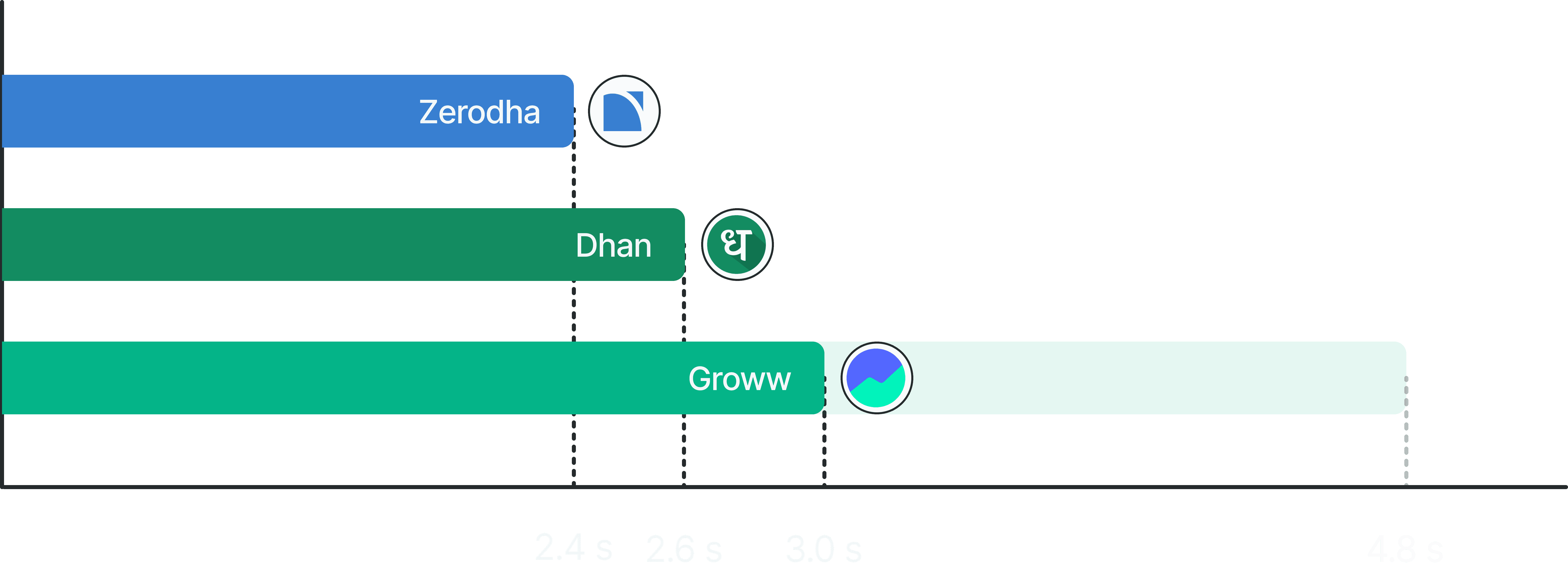
As a result of these issues, Groww was slower than its competitors. This meant traders had a reason to switch to other platforms, affecting Groww’s ability to retain F&O traders and remain competitive in the market.
2024 data
Over 600,000 monthly active traders on Groww were losing money because they couldn’t enter or exit trades at the right moment.

Over 600,000 monthly active traders on Groww were losing money because they couldn’t enter or exit trades at the right moment.

Process

Optimizing the order flow

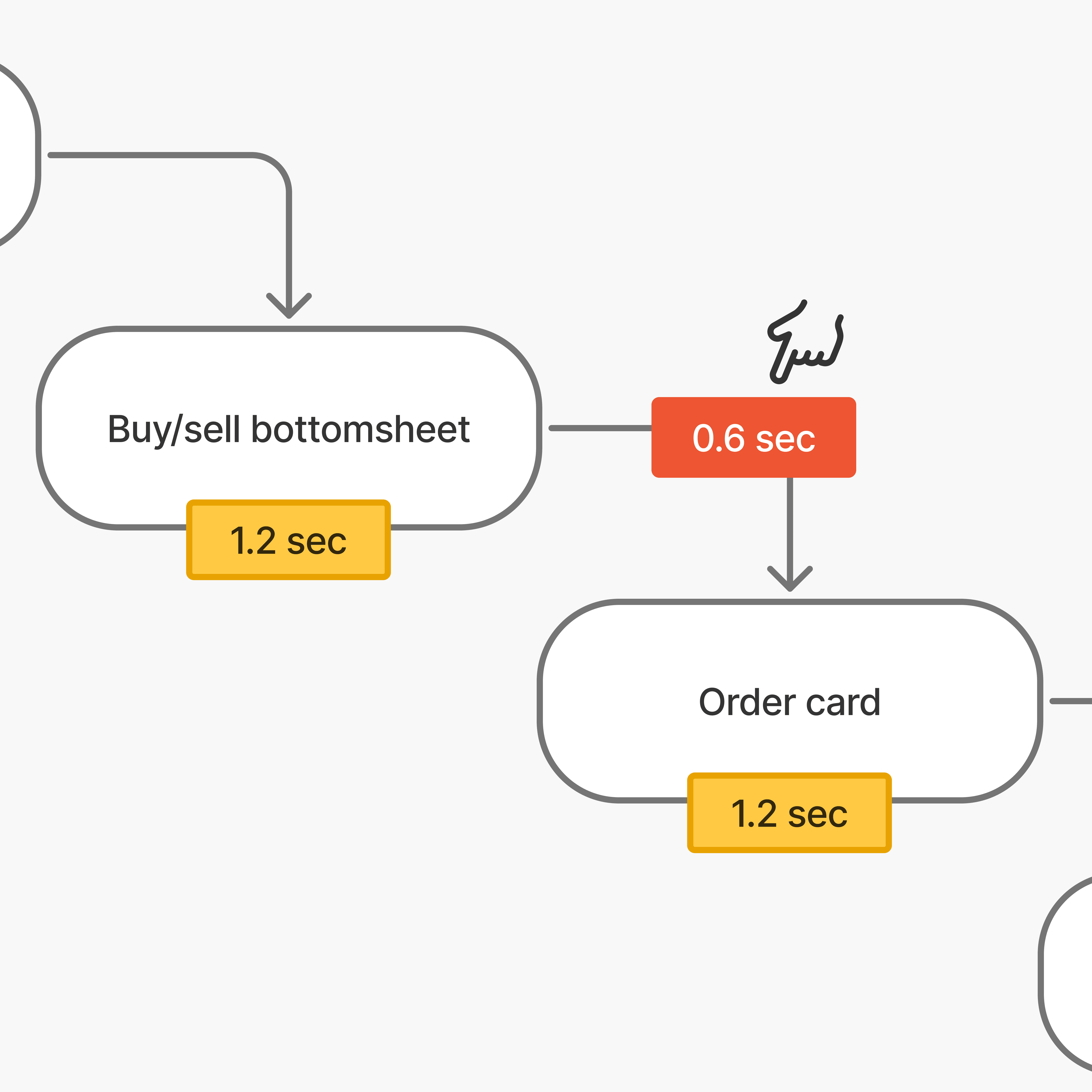
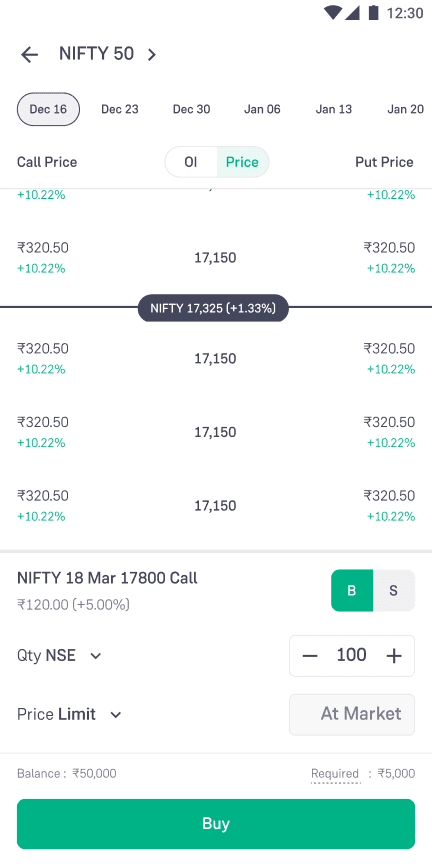
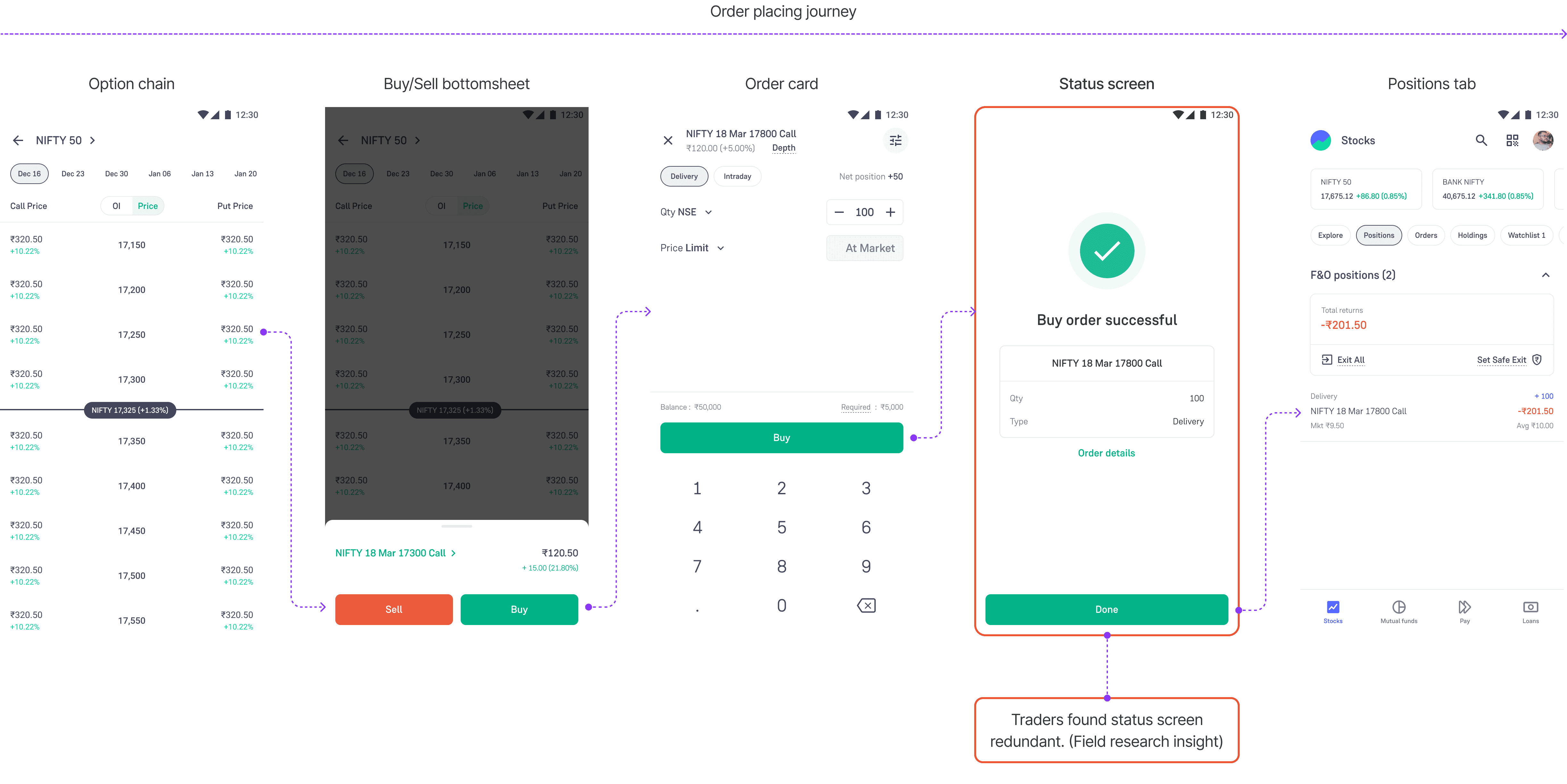
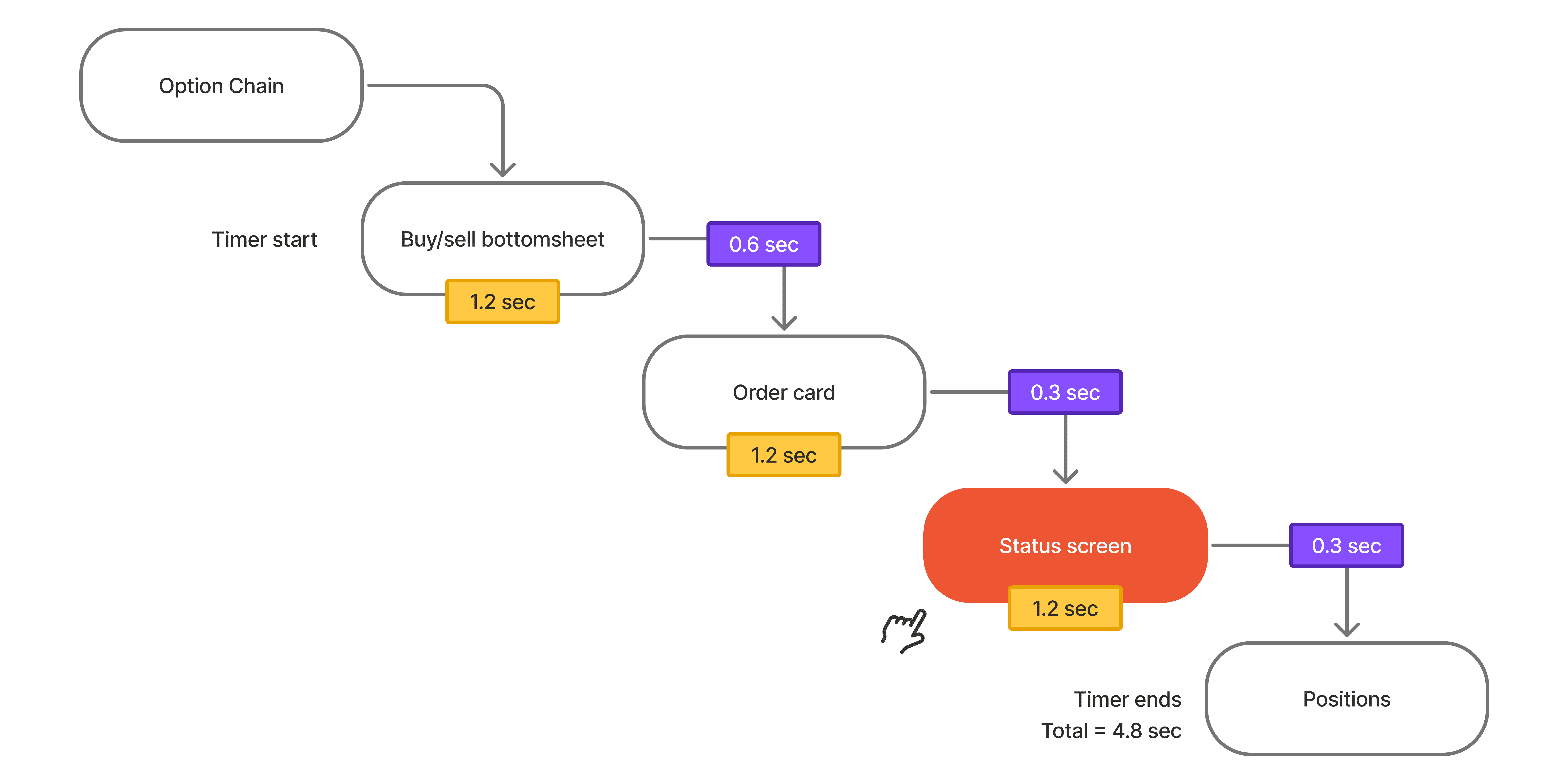
Four distinct steps: clicking the option, choosing buy/sell, confirming on the order card, and then seeing the status screen. Altogether, this was taking about 4.8 seconds, and we had to figure out how to reduce that time.

Step by step journey

The status screen was redundant because 96% of orders were successful. In other words, the status screen wasn’t adding much value and was acting like a blocker.

Each additional screen adds 1.2 seconds to the order placement time. For F&O traders, where prices change rapidly, this delay is critical. By removing the status screen, we could save 1.2 seconds, allowing traders to reach their positions faster.

Screen rendering (3.6s)

Screen transitions (1.2s)

Time wise breakdown

Broken transitions were also causing delays

In the current experience, multiple transitions were triggered simultaneously. Each transition added at least 0.2 seconds, so opening the order card alone took 0.6 seconds due to three separate transitions. This negatively impacted users’ perception of speed.

Time to open order card

3 transitions at once

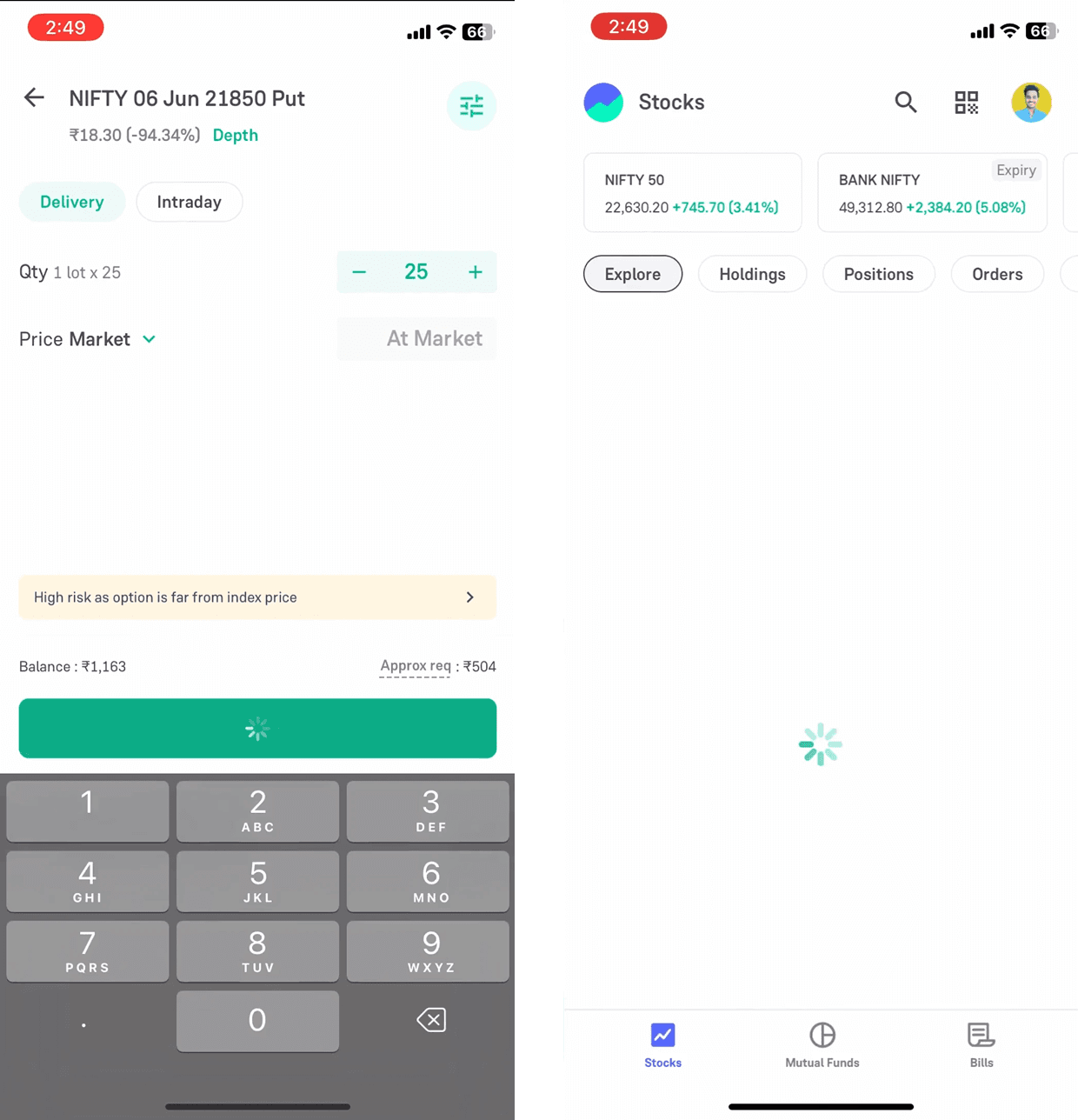
Each button click triggered a loader, causing users to wait and slowing the flow. Instead of these traditional loaders, we needed progressive loading. Using something like skeletal loaders so the user felt the process was moving forward continuously.

Loaders as seen on Groww

Skeleton loader example

As a trader:

  1. I want to place an order and have it executed as quickly as possible, so I can secure the best possible price in a highly volatile options market.

  2. When I place an order, I want the flow to feel continuous and responsive, so that I don’t lose confidence or momentum during execution.

Iterations

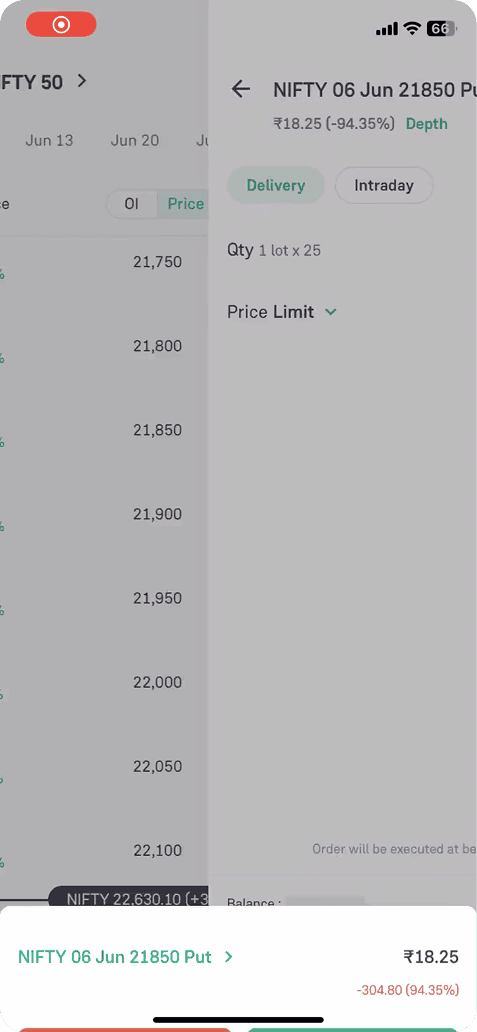
Order card as a new panel

Splitting the screen so that the order card would appear as a small panel. Redesigning the order card was a huge tech effort because it’s used not only for F&O traders but also for stocks. 

Bottomsheet scales to order card

This seemed promising because it would maintain focus and reduce unnecessary transitions.

But even then, we still tried to show status updates, which made the experience feel slow.

Status as Toasts

Bottom sheet to scale up into the order card and use a toast notification to show the order status. 

Process feels much snappier. By doing this, we eliminated the wait time caused by blocking the user’s view with status screens.

Learnings

  1. Traders didn't want confirmation of success, 96% of orders work. But when orders failed, they wanted detailed context. I optimized for the 96%, but designed the 4% with extra care.

  2. Revamping the order card was a major engineering challenge. I focused on the status framework for this version.

Solution

Solution

#1 Status screen → Status toast

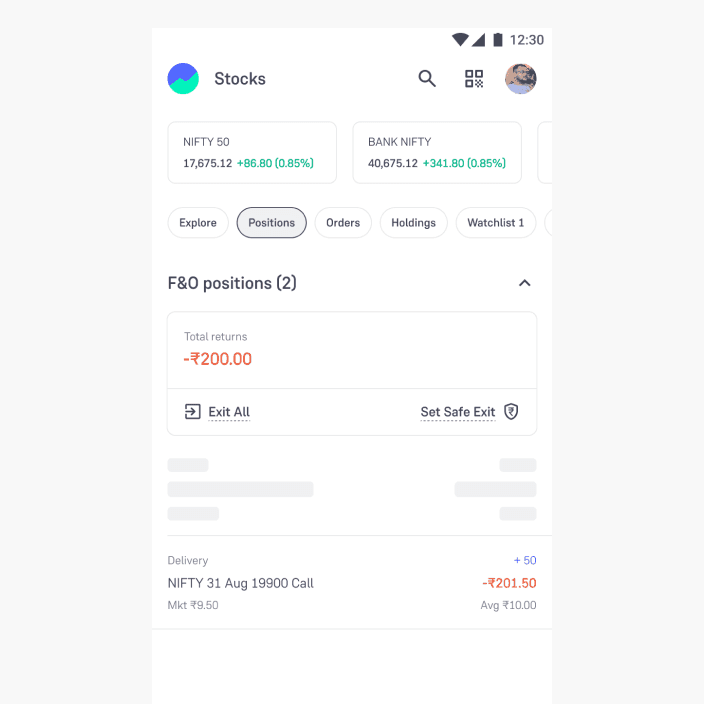
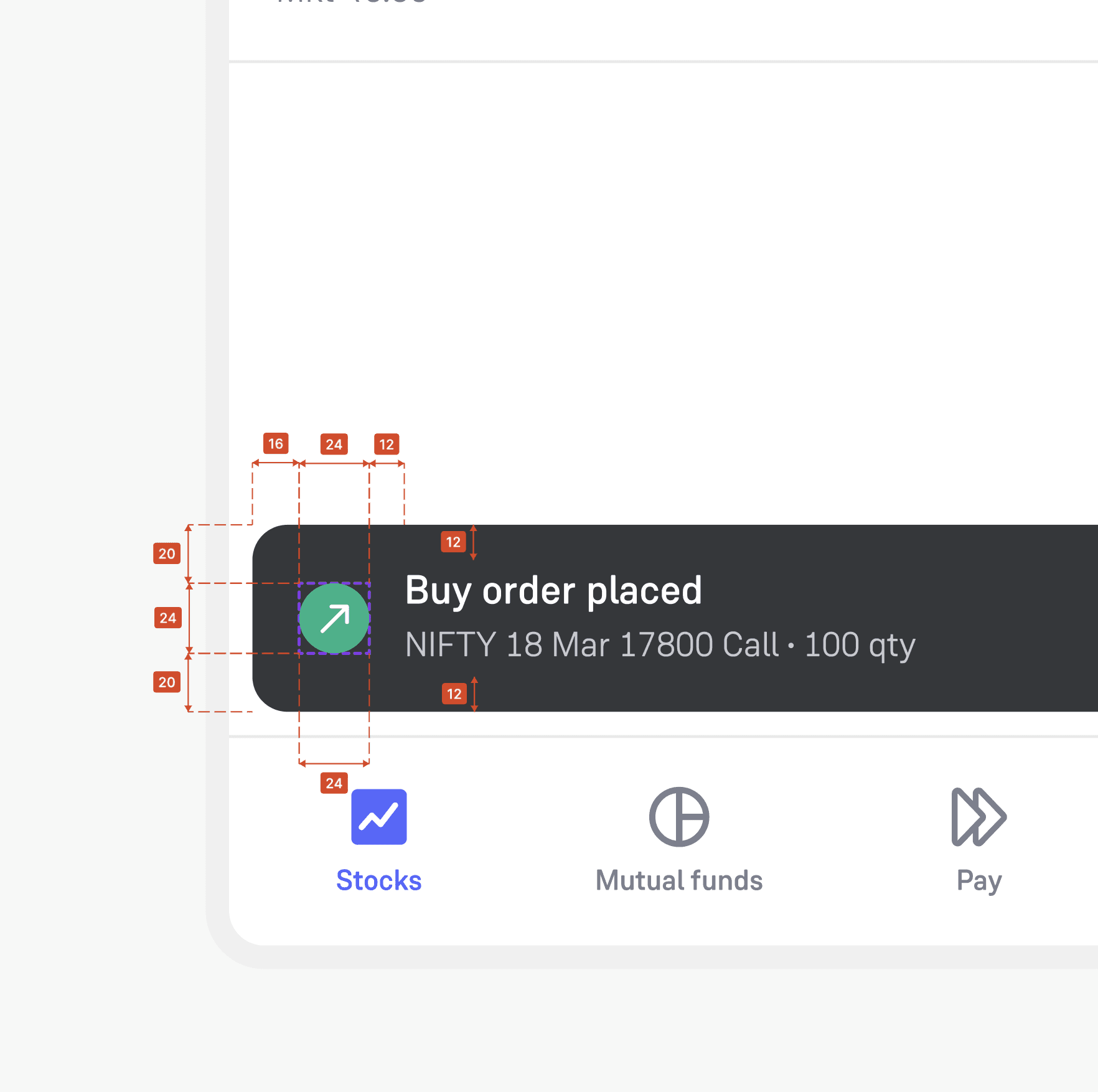
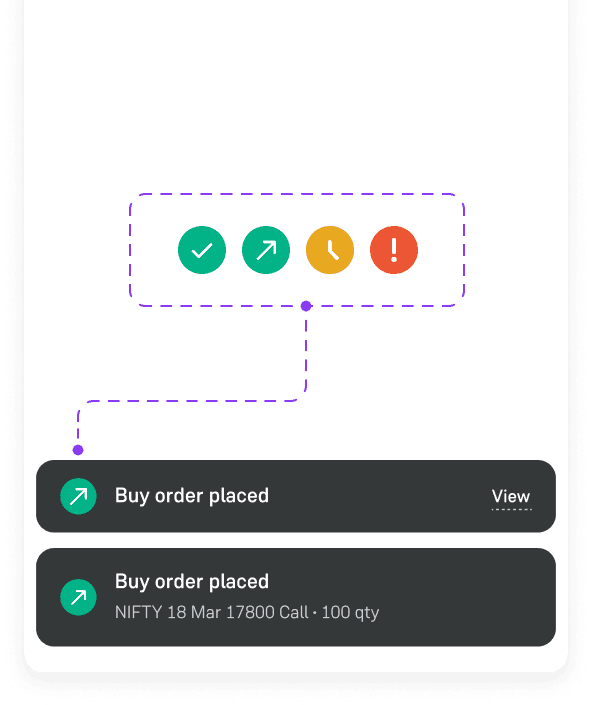
The first solution was to convert the status screen into a status toast, allowing it to be removed. The status screen took about 1.2 seconds. By converting it into a toast, the user would land directly on the positions page after placing a buy order, saving 1.2 seconds.

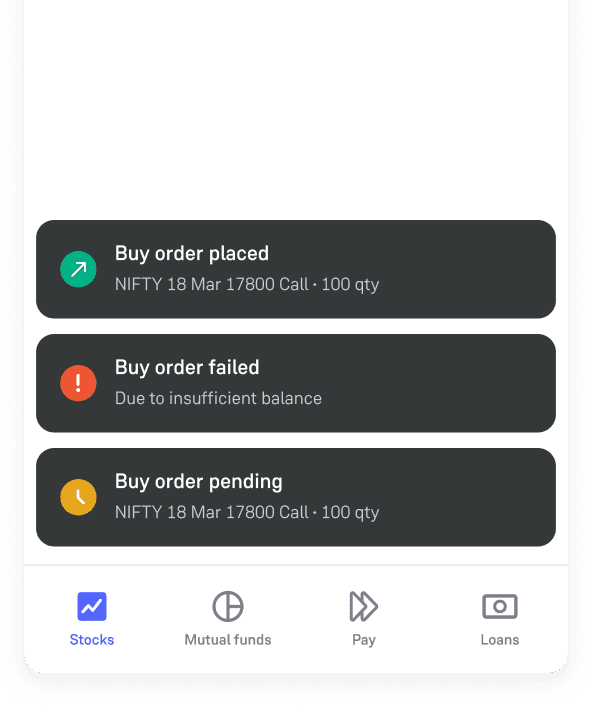
The new status toast had to handle all the states that the status screen previously managed.
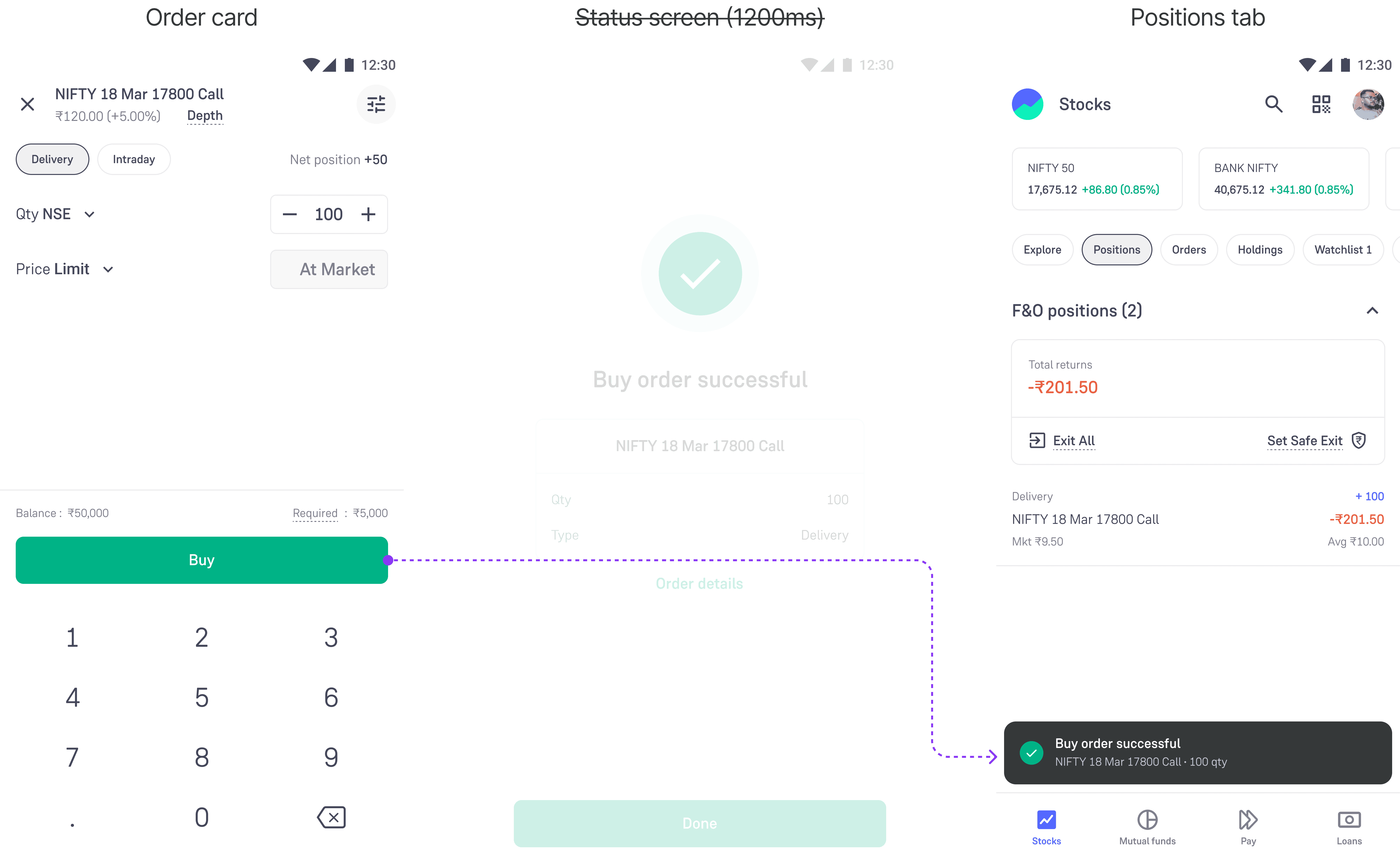
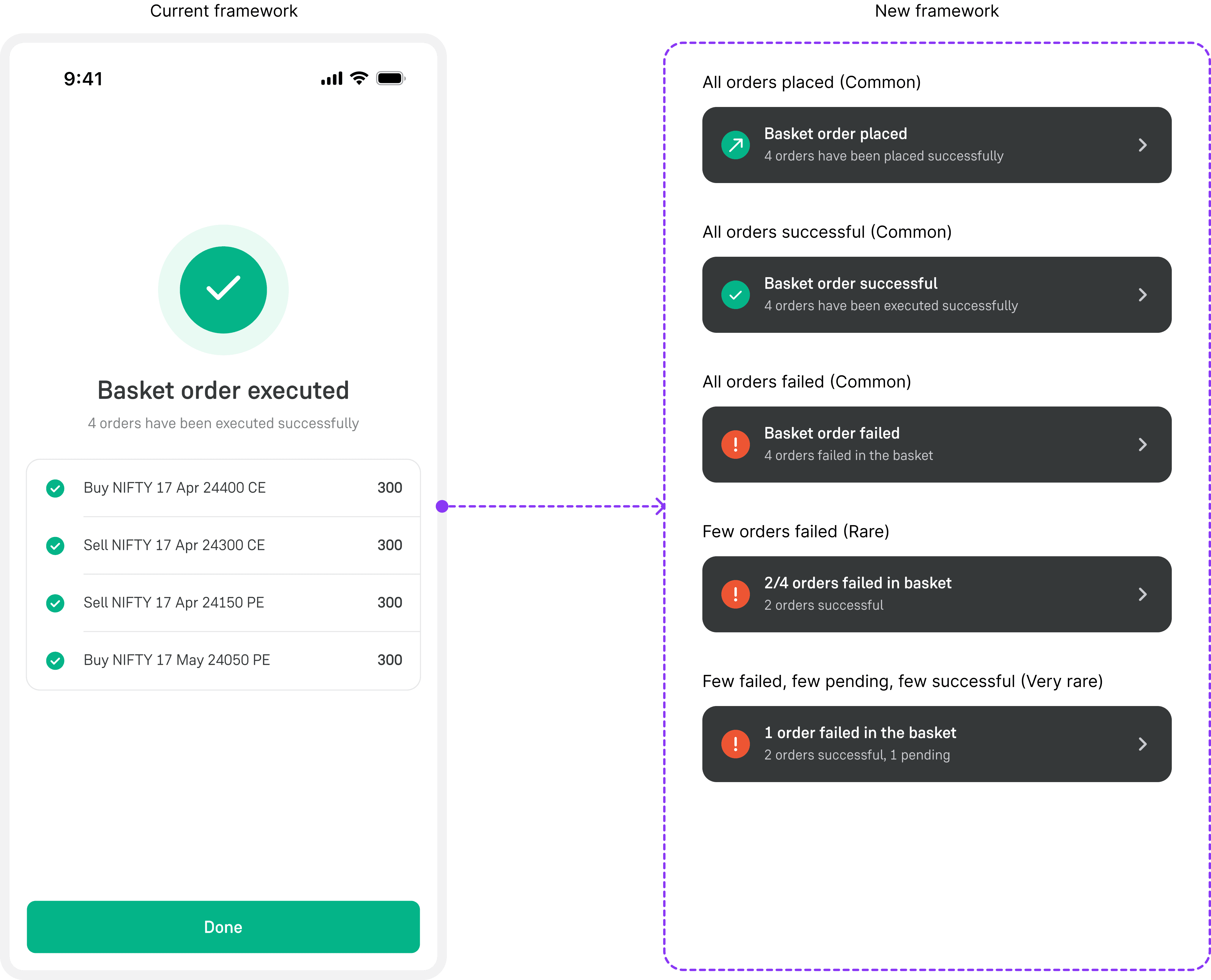
Redesigned status framework
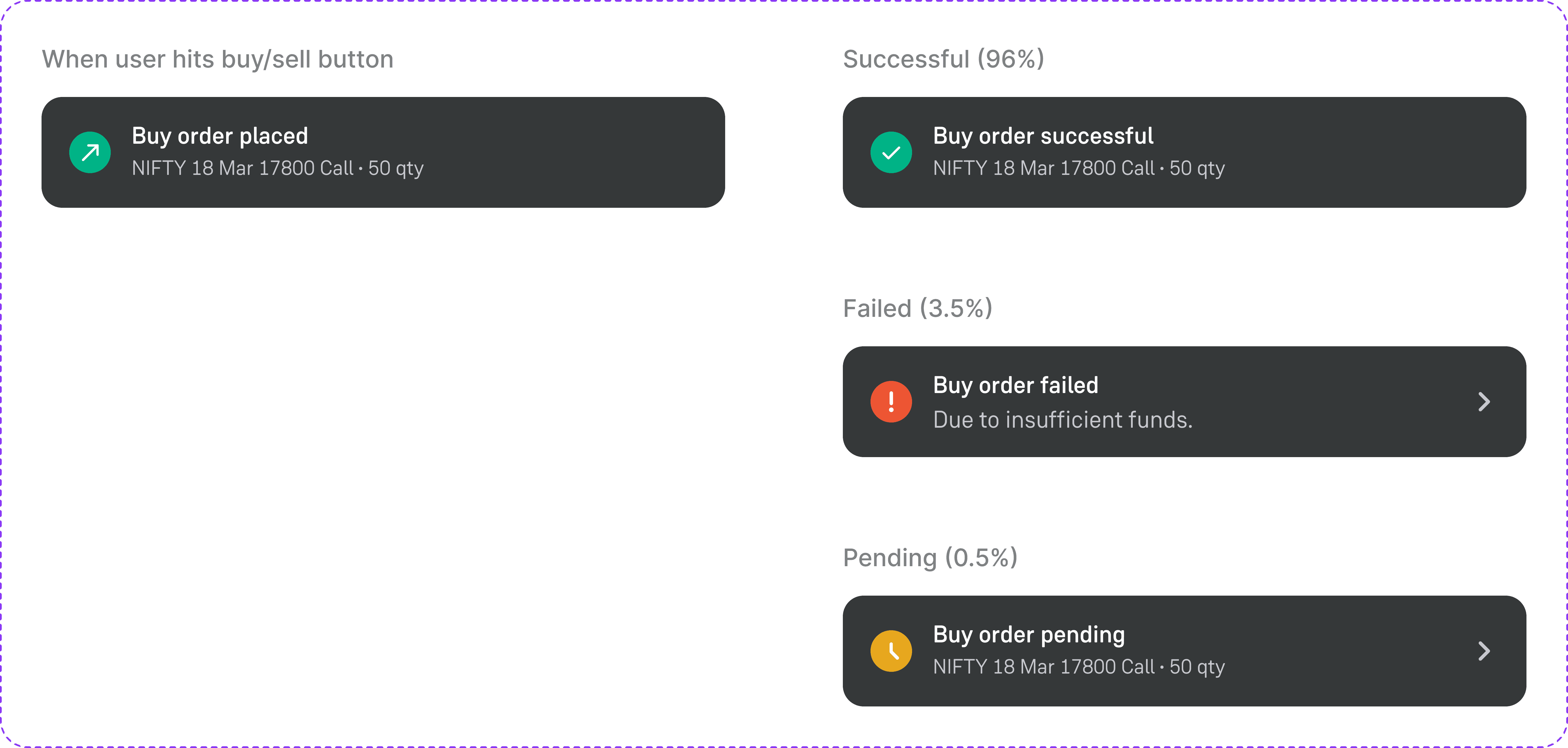
Handling cases

#2 Fixing the transitions

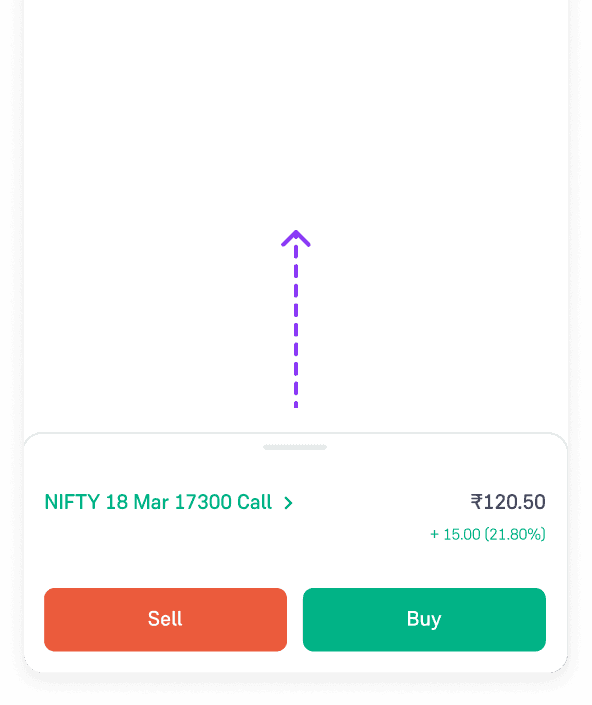
Initially, there were three transitions in the step where the bottom sheet (with the buy/sell option) moved to the order card.

We streamlined this by scaling the bottom sheet directly into a full-screen order card, reducing the number of transitions. (Saved 0.6 seconds)

Pro tip: Transitions in financial apps should never be longer than 0.2 seconds. We used cubic ease-out for entering elements and cubic ease-in for exiting elements, ensuring that transitions felt quick and responsive. Source: Apple HIG

Before

After

Order card transition

Swipe to dismiss

Toast automatically dismisses after 4 seconds. This way, it wouldn’t be intrusive. Additionally, the user could simply fling the toast away to dismiss it manually.

Swipe to dismiss demo

Before vs After

0.0s
0.0s

Before 🐌

After ⚡️

Groww vs competitors

By eliminating unnecessary steps and reducing transitions, we saved ~1.8 seconds per order. Groww becomes more competitive in the F&O trading market.
Post launch
-Fin-

Designing for scale

Handling multiple orders

Traders can place orders after market hours (AMO). Solving for what happens when these AMO orders get triggered at once in the morning.

Multiple orders triggered

Batch orders - 20 orders at once

If traders want to exit all their trades at once, a solution is needed to handle the resulting high volume. Orders can have different statuses, i.e., successful, failed, or pending. Due to limited tech bandwidth, this solution was prioritised for V2. 

Batch order & it's states

Shipping to design system

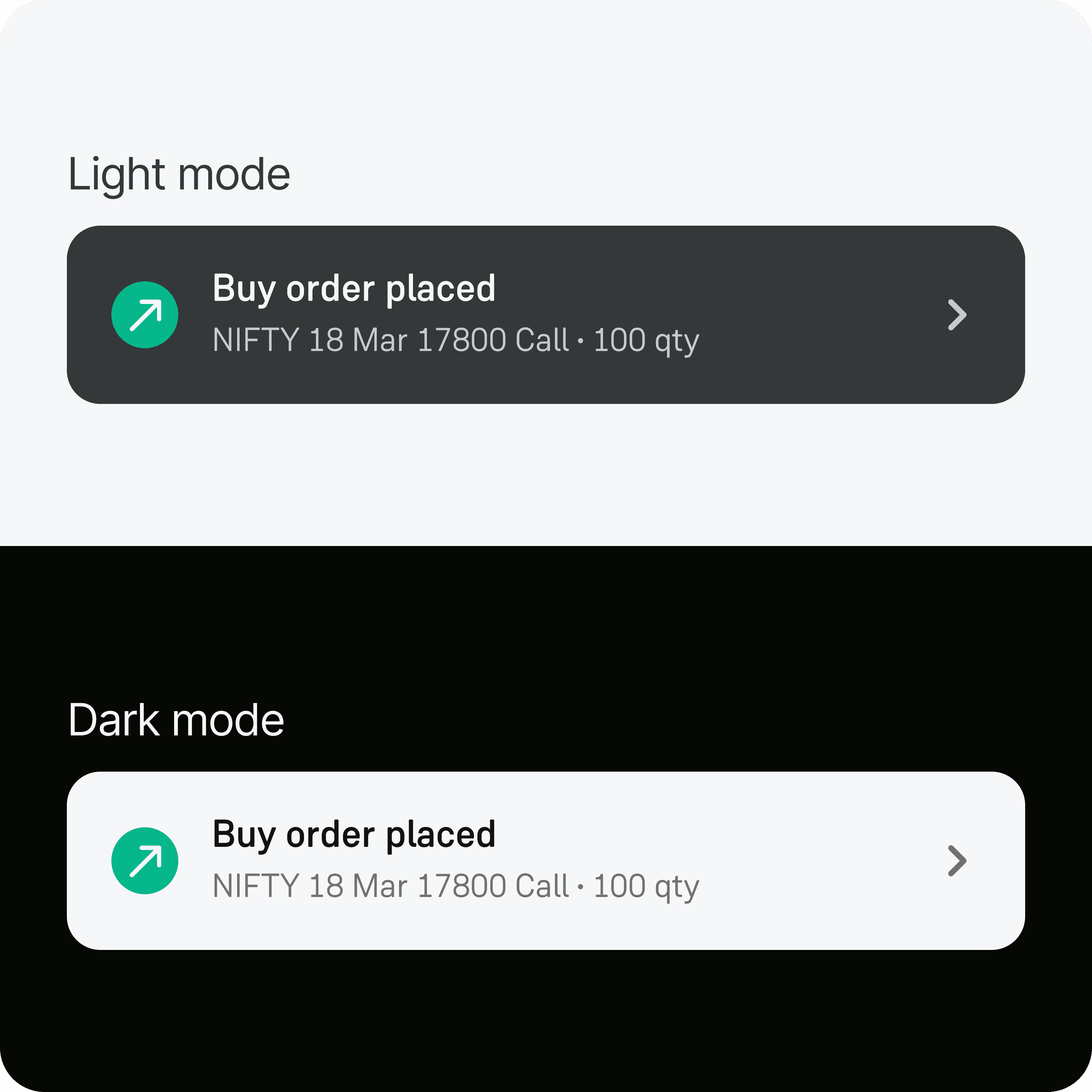
Since this was a new component, I documented its states, variants, icons, and interactions. It was later added to Groww's Mint Design System so that other designers and engineers could use it easily.

Toast component

Light mode vs Dark mode

Measurements & placement

Learnings post launch

  • Traders who place 20+ orders a day wanted a way to turn off status toasts. Successful orders were the default case about 96% of the time.

  • I scoped batch-order handling to V2. Traders asked for the same faster experience in those flows, and our designs already accounted for it.​

  • Auto-dismiss time for toast was set to 4 seconds; I cut it to 2 seconds for successful orders, so feedback stayed readable without slowing people down.

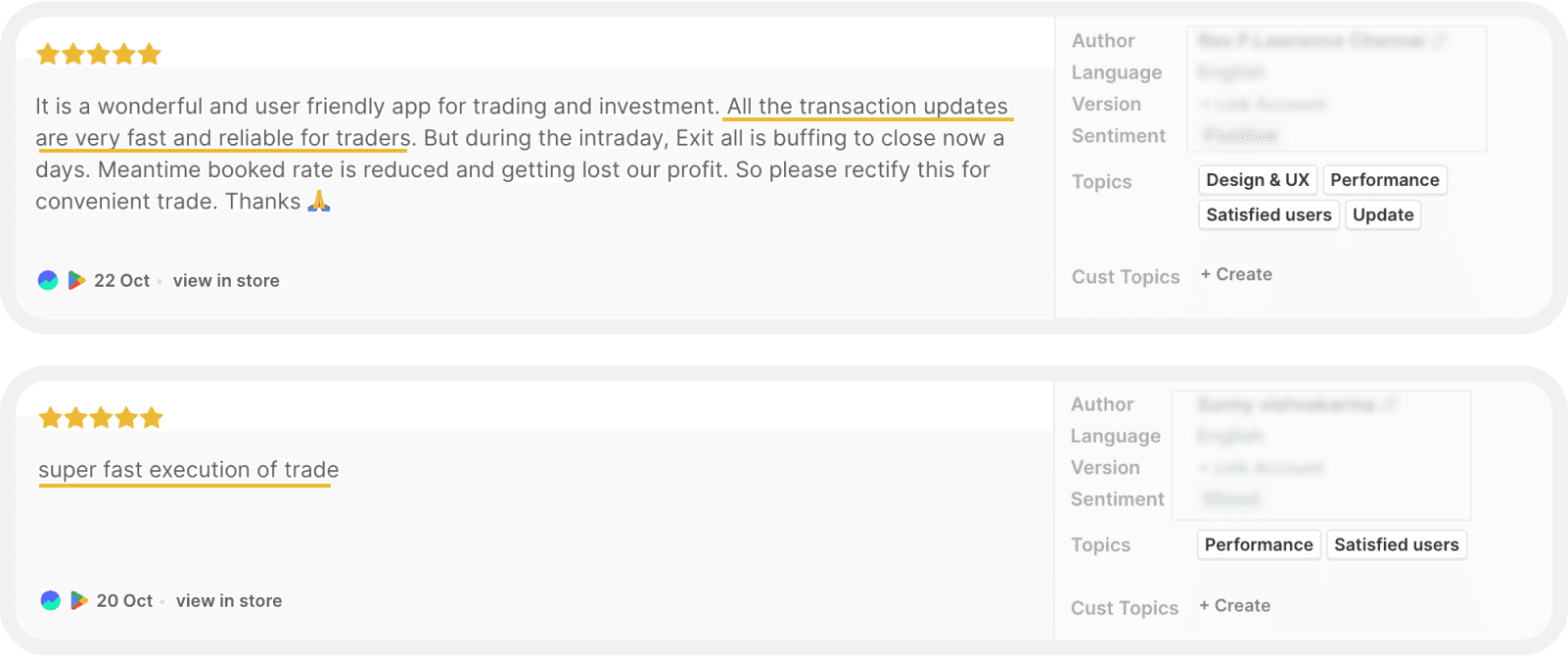
Comments from Google playstore

Let's have coffee?

User avatar
User avatar
User avatar

Mail

rakshit.design@gmail.com

Phone number

+1 (206)-571-4546

Blogs

Designed by Rakshit. Built with Framer and Cursor

Let's have coffee?

Mail

rakshit.design@gmail.com

Phone number

+1 (206)-571-4546

Blogs

Designed by Rakshit.

Built with Framer & Cursor